

Use this date-of-service review sheet before discussing the visit’s estimate. Review current information, make unanswered questions visible and assign the handoff. Keep patient-specific details in your approved system.
The date-of-service dental insurance verification checklist
Download the date-of-service verification checklist (PDF) for a printable team review sheet.
DentalXpand — Front desk / billing. Date-of-service verification review. Version 2026-10-08. This is a printable workflow sheet, not an electronically fillable form or a required Autopilot step.
Use this one-page checklist to review current information, flag gaps and make a clear handoff. Adapt it to your team’s procedures.
Workflow notes only. Do not enter names, IDs, coverage details or other patient information.
- Approved-system record reference
- Use only a non-identifying workflow reference permitted by your organization; otherwise leave blank.
- Practice context
- Optional.
- Review date / check time
- Record the date and time of the review.
- Source / channel
- No patient-specific details.
Six checks before the handoff
- Match the record to today’s visit. In the approved system, confirm the patient, practice, provider and service date.
- Ask about changes. Route new coverage or policyholder information through the normal intake process.
- Review current eligibility. Review the date-of-service response. Retain the source and check time in your system.
- Review relevant benefit questions. Check the detail needed for the estimate. Make unanswered questions visible.
- Record the review outcome. Select a clear status below; a returned response alone does not complete the review.
- Confirm the handoff. Tell the estimate owner what was reviewed and what is still open. Clinical decisions stay with the treating team.
Follow-up and outcome
- Missing benefit questions
- Note category only; keep details in the approved system.
- Owner / role
- The authorized teammate responsible.
- Next step
- Workflow only.
- Due for review
- The next review date / time.
- Outcome
- Reviewed / needs information / escalated.
Use your organization’s approved system for patient-specific records. Eligibility does not guarantee payment.
Exact guide and current download · ADA eligibility verification source. The checklist is DentalXpand’s operational template, not an ADA-issued form.
Read the six checks in more detail
Adapt these checks to your office’s procedures and the visit being reviewed. Store patient-specific results only in the systems your organization has approved.
- Match the record to today’s visit. Confirm the patient, practice, provider and service date before relying on a saved response.
- Ask about changes. Confirm whether the patient has new coverage or policyholder information that needs to go through intake. Route a new card to the responsible teammate rather than assuming yesterday’s information still applies.
- Check current eligibility. Review the date-of-service response and retain its source and check time. If the response conflicts with the patient’s information, keep the discrepancy open for follow-up.
- Review the benefit questions relevant to the appointment. Check whether the returned detail answers the questions the team needs for its estimate and patient discussion. Mark unanswered questions explicitly.
- Record the review outcome. Use a clear status such as “reviewed,” “needs information” or “escalated.” Define these labels for the team; avoid treating a successful technical response as completion of every review step.
- Confirm the handoff. The person discussing the estimate should know which information was reviewed and what remains unresolved. Clinical decisions stay with the treating team.
Table of Contents
A verification completed before the appointment may still leave questions at check-in. Review a new insurance card, appointment change or missing benefit before explaining the estimate.
Use the checklist to record what was reviewed, what is still missing and who will follow up. Keep the completed patient-specific record in your approved system.
Source and link check: 8 October 2026. Published by DentalXpand.
Start here: Advance checks leave time for follow-up. Check eligibility again on the date of service and keep missing benefit details open for review. This is DentalXpand’s operational template, informed by the linked ADA guidance; it is not an ADA-issued form.
Why review coverage again on the date of service?
The American Dental Association recommends date-of-service eligibility verification. Its guidance explains that eligibility can change retroactively and payer information may lag behind an employment or coverage change. It also recommends documenting payer interactions, including when the information was obtained. See the ADA’s eligibility verification guidance.
For your team, this creates two useful checkpoints. Advance verification leaves time to investigate questions. The date-of-service review checks the information you are relying on for the visit. Neither checkpoint guarantees that a claim will be paid.
Name the person responsible for each checkpoint, decide where they will save the result and agree who takes over an unanswered question. That way, a response does not sit unreviewed because everyone thought someone else had checked it.
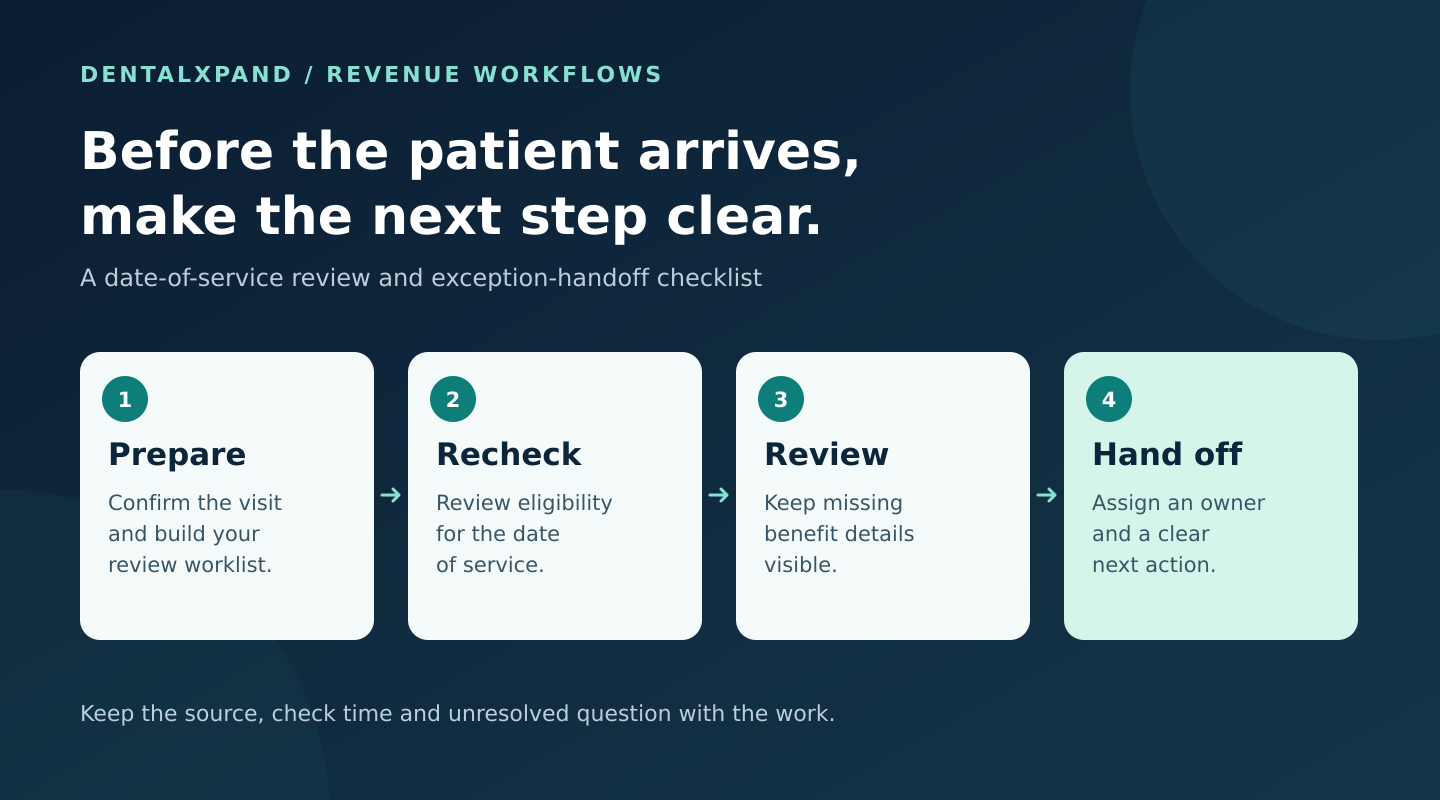
Before the appointment: build a reviewable worklist
Prepare the appointment worklist in your approved system. Include the practice, appointment and person responsible for review so a check is not passed to the wrong location or client account.
- Confirm the appointment context. Check the intended service date, treating provider and location. Route changes to the teammate responsible for reviewing their effect on the verification.
- Check the input details. Resolve incomplete or mismatched patient, subscriber and plan information through your normal intake process.
- Identify the source. Record whether the information came from a current payer response, a portal or phone check, or a previously supplied document.
- Separate completed checks from open questions. Give missing information its own follow-up instead of leaving it buried in a PDF or general appointment note.
If your team uses DentalXpand to process a patient list, the CSV and batch verification workflow covers the CSV, Verify All and report-review steps. Use this checklist for the review and handoff around that process.
Which benefit details need a closer look?
A review should fit the planned services. The ADA’s procedure-level eligibility and benefits reference identifies details such as remaining deductibles, service-frequency information, waiting periods, processing policies and coordination of benefits. Use these as prompts for the questions relevant to the visit, not as a promise that every electronic response will contain every field.
- Does the response address the planned service and applicable network context?
- Are the relevant deductible and remaining benefit amounts available?
- Is a frequency limit or treatment-history detail needed to interpret the response?
- Could a waiting period, exclusion or other plan condition require clarification?
- Does another policy create a coordination-of-benefits question?
The ADA also explains common restrictions in its overview of dental plan benefits and limitations. Plan-specific terms matter. When a response leaves a relevant question unanswered, assign the next check through the appropriate payer channel.
If the planned service raises an advance-review question, compare verification, preauthorization and predetermination so the team records the applicable requirement separately from the eligibility check.
Give every exception an owner and a next step
The next person should be able to pick up an exception without retracing the conversation. Use the fields below in your approved task system or patient record to show what is missing and who will check it:
Copyable review record
Select and copy these labels into your organization’s approved record. Enter patient-specific details only there.
Practice / appointment reference:
Service date:
Source / channel and check time:
Relevant benefit question:
Status: reviewed / needs information / escalated
Next action:
Authorized owner / role:
Next review time:
Outcome and estimate owner notified:
Illustrative handoff: “Frequency information for the planned service is missing from the current response. Verification coordinator to check the payer’s approved channel before the scheduled estimate review. Record the source and time, then notify the front-desk lead. Keep status as needs information until reviewed.”
For a billing company or multi-location group, add the responsible client or location to the work item. An exception should reach someone authorized to work that account. Keep patient information out of public contact forms, general marketing tools and demonstration requests.
Keep document conversion separate from a fresh check
An organized breakdown of benefits is useful, but its source date still matters. Converting an existing verification document into a standardized form preserves supplied information; it does not obtain a new payer response.
When reviewing a report, identify how it was produced before deciding whether another check is needed. For DentalXpand, insurance verification workflows include document conversion and supported payer-check workflows. Available results and actions depend on the configured connection, payer, plan and enrollment. Staff should review the returned information and unresolved details.
Review the process at the end of the day
At the end of the day, look at a few completed checks and open exceptions. Can an authorized colleague find the source, the unanswered question and its owner? Check whether appointment changes reached the verification staff and whether the person discussing the estimate knows what is still open.
Use what you find to fix the point where the handoff broke down. If the same benefit is often missing, clarify the follow-up instruction. If no one knows who owns the question, simplify the assignment rule. Add fields only when they help resolve that problem.
Bring your verification workflow to a demo
Want to see how this review process could fit your team? Book a DentalXpand workflow demo with your PMS name, practice count and the verification steps you want to improve. Do not send patient records through the public form.
After the demo, the DentalXpand team helps you agree the account setup. Before activation, confirm trial availability, duration, included modules, usage allowances, charges and training in writing.
This article provides an operational checklist, not legal, clinical or payer-specific coverage advice. Follow the applicable plan terms and your organization’s procedures. Eligibility and benefit information do not guarantee payment.



Conversation