
On this page
Explore DSO workflows
DentalXpand
For DSOs and multi-location dental groups
DentalXpand DSO operations software helps central teams and local offices coordinate billing and provider work across the group. Keep the clinical PMS each office already uses. During setup, confirm the practice access and PMS actions available at every location.
Explore DSO workflows
A central reviewer may need to follow unresolved billing work across several permitted practices. The local office needs to know which detail to supply or which action to take. DentalXpand connects those responsibilities through practice assignments and roles, alongside the clinical PMS at each office.
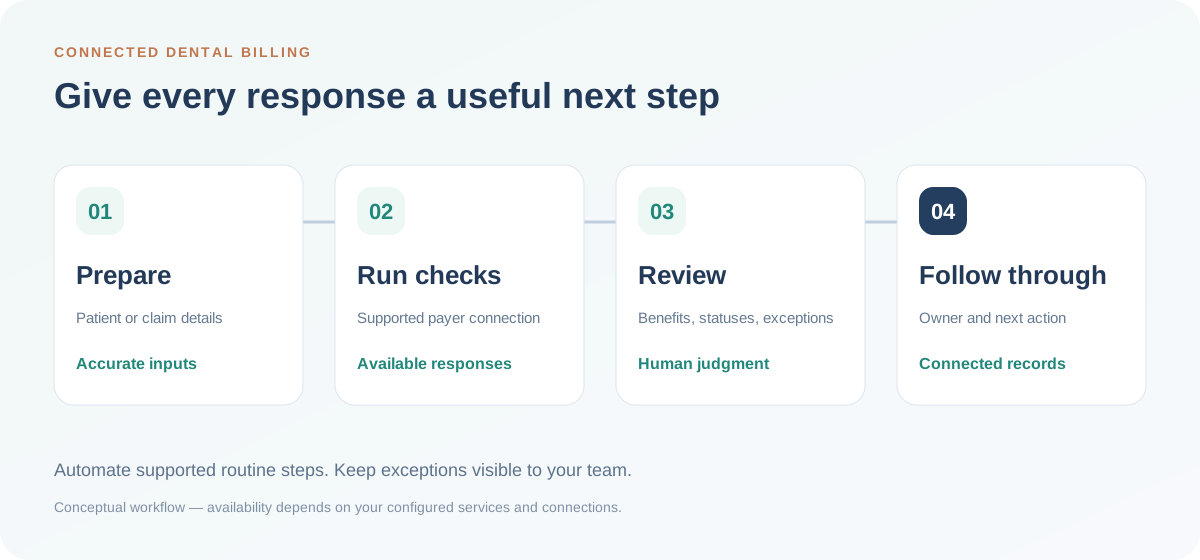
The billing workflow can carry out checks and updates enabled for the office. When information is missing or a result is unclear, a teammate must review it. Which steps run automatically depends on the payer, PMS and workflow setup.
Illustrative central/local exception handoff: this is a planning example, not automatic assignment or a default permission model.
The local contact checks the information requested for that practice and supplies the missing detail so the reviewer can continue.
The authorized reviewer looks at the response, works through the unresolved question and names the next action and the person responsible for it.
The office carries out the agreed action. If a PMS update or payer call is still outstanding, keep it recorded as unfinished.
Use fictional data in the private demo to compare the central and local views, follow a recorded result and examine an exception. What each person sees depends on their role and practice assignment.
Provider work has different handoffs: a recruiting lead may pass an accepted offer to the practice manager for onboarding, or a provider check-in may lead to an agreed follow-up. Explore provider recruiting and provider retention for those workflows.
Check the maintained connection table for each participating office. A live connection does not mean every version, record or write action is supported.
A live connection does not mean every action is enabled. Confirm your version, required records and each PMS update before rollout.
| Practice system | Connection | Version and required actions | Setup and review owner |
|---|---|---|---|
| Open Dental | Live connection | Confirm version during setup Confirm required patient, appointment and claim records. Confirm benefit forms, notes, payment entries and attachments separately. |
Practice authorization and payor enrollment where required. Batch start or schedule, where enabled for the workflow. Exception review: Practice or billing lead. |
| Dentrix Core | Live connection | Confirm version during setup Confirm required patient, appointment and claim records. Confirm benefit forms, notes, payment entries and attachments separately. |
Practice authorization and payor enrollment where required. Batch start or schedule, where enabled for the workflow. Exception review: Practice or billing lead. |
| Dentrix Ascend | Live connection | Confirm version during setup Confirm required patient, appointment and claim records. Confirm benefit forms, notes, payment entries and attachments separately. |
Practice authorization and payor enrollment where required. Batch start or schedule, where enabled for the workflow. Exception review: Practice or billing lead. |
| Dentrix Enterprise | Live connection | Confirm version during setup Confirm required patient, appointment and claim records. Confirm benefit forms, notes, payment entries and attachments separately. |
Practice authorization and payor enrollment where required. Batch start or schedule, where enabled for the workflow. Exception review: Practice or billing lead. |
| Eaglesoft | Live connection | Confirm version during setup Confirm required patient, appointment and claim records. Confirm benefit forms, notes, payment entries and attachments separately. |
Practice authorization and payor enrollment where required. Batch start or schedule, where enabled for the workflow. Exception review: Practice or billing lead. |
| Dolphin | Live connection | Confirm version during setup Confirm required patient, appointment and claim records. Confirm benefit forms, notes, payment entries and attachments separately. |
Practice authorization and payor enrollment where required. Batch start or schedule, where enabled for the workflow. Exception review: Practice or billing lead. |
| Curve Hero | In development No rollout date is promised. |
Confirm version during setup Confirm required patient, appointment and claim records. Confirm benefit forms, notes, payment entries and attachments separately. |
Practice authorization and payor enrollment where required. Batch start or schedule, where enabled for the workflow. Exception review: Practice or billing lead. |
| Denticon | In development No rollout date is promised. |
Confirm version during setup Confirm required patient, appointment and claim records. Confirm benefit forms, notes, payment entries and attachments separately. |
Practice authorization and payor enrollment where required. Batch start or schedule, where enabled for the workflow. Exception review: Practice or billing lead. |
| Cloud 9 | In development No rollout date is promised. |
Confirm version during setup Confirm required patient, appointment and claim records. Confirm benefit forms, notes, payment entries and attachments separately. |
Practice authorization and payor enrollment where required. Batch start or schedule, where enabled for the workflow. Exception review: Practice or billing lead. |
| OrthoTrac | In development No rollout date is promised. |
Confirm version during setup Confirm required patient, appointment and claim records. Confirm benefit forms, notes, payment entries and attachments separately. |
Practice authorization and payor enrollment where required. Batch start or schedule, where enabled for the workflow. Exception review: Practice or billing lead. |
| PracticeWorks | In development No rollout date is promised. |
Confirm version during setup Confirm required patient, appointment and claim records. Confirm benefit forms, notes, payment entries and attachments separately. |
Practice authorization and payor enrollment where required. Batch start or schedule, where enabled for the workflow. Exception review: Practice or billing lead. |
For each workflow, record the PMS/version, permitted reads and writes, trigger, prerequisites and person who reviews incomplete responses or failed updates. Ask to see both a completed record and an exception during your demo.
Confirm my PMS workflow →This is a scope summary, not a verified action-by-version support matrix. For Open Dental offices, the official user-access guide explains source-system users and clinic restrictions.
Verification can also start through an upload-based route without PMS onboarding. Account provisioning and the relevant payer setup still apply.
Start the evaluation with one billing or provider handoff. Once the demo is arranged, use the plan below to agree on the locations, people and result you will review.
Agree on the locations, PMS versions, workflow and central/local access to examine.
Review a routine result and an exception. Identify the reviewer, local contact and work that remains with staff.
Compare the completed handoffs with the starting routine and resolve open access or connection questions before adding practices.
| Decision | Agree once for the participating practices |
|---|---|
| Starting scope | Choose the locations, PMS products and versions, and one workflow to test. |
| People and access | Name the local contact, central reviewer and backup. Demonstrate configured practice and role access. |
| Input and result | Identify the starting information, supported action and recorded outcome; distinguish PMS updates from payer follow-up. |
| Exceptions | Agree who handles missing information or an unclear result, and where the next action is recorded. |
| Review and expansion | Use included training, then compare completed handoffs and retained staff effort with your starting routine. Resolve open connection or access questions before adding practices. |
The pilot helps your group decide what fits its workflow. It is not a promised staffing reduction, financial result or organization-wide benchmark.
Compare group pricing with your location count, participating users and expected monthly demand. Verification and claim-status allowances are separate and shared across the organization.
Before activation, check any extra capacity, usage or connected-service requirements. The group shares its check allowance; each office does not receive a separate copy of it.
Administrators can configure roles and practice assignments around responsibilities. Review the actual access for each participating role as part of setup.
DentalXpand is designed to organize operational work alongside existing practice systems. Confirm the available connection and workflow for each office's product and version; an integration is not a reason to assume every record or action is supported.
Yes. Tell us whether you want to examine recruiting, onboarding, provider check-ins or revenue work, and which teams participate in the handoff.
Begin your DSO operations software evaluation with one repeatable process and a defined set of locations. Review completed actions, exception handling, staff review time and role access before expanding.
To request an initial group demo, tell us just your location count, PMS and one bottleneck. No patient information is needed in the public contact form. The detailed location inventory can follow after the meeting is arranged.
We will walk through a routine result and an exception, showing the supported action and the central/local handoff. Explore insurance verification or payment posting if revenue work is your starting point.
Help us improve DentalXpand. May we use Google Analytics to understand visits and useful pages? We do not send form answers or patient records. Privacy details