
See the day across offices.
The planned connection will bring supported appointment changes and cancellation statuses into a practice-aware view, helping teams prepare the next patient list.
Explore DentalXpand
Choose the work your team needs today—from provider hiring to revenue follow-up. Add more connected workspaces as your organization grows.
For single practices, DSOs and dental operations teams.
The complete platform
Begin with the workflow that matters most. As more teams join, Xpand keeps their pages, permissions and practice context connected without giving everyone the same view.
Pages follow the responsibilities of the current user.
DSO and billing teams can work across assigned practices.
External users receive a focused portal instead of the internal workspace.
01 Work Hub
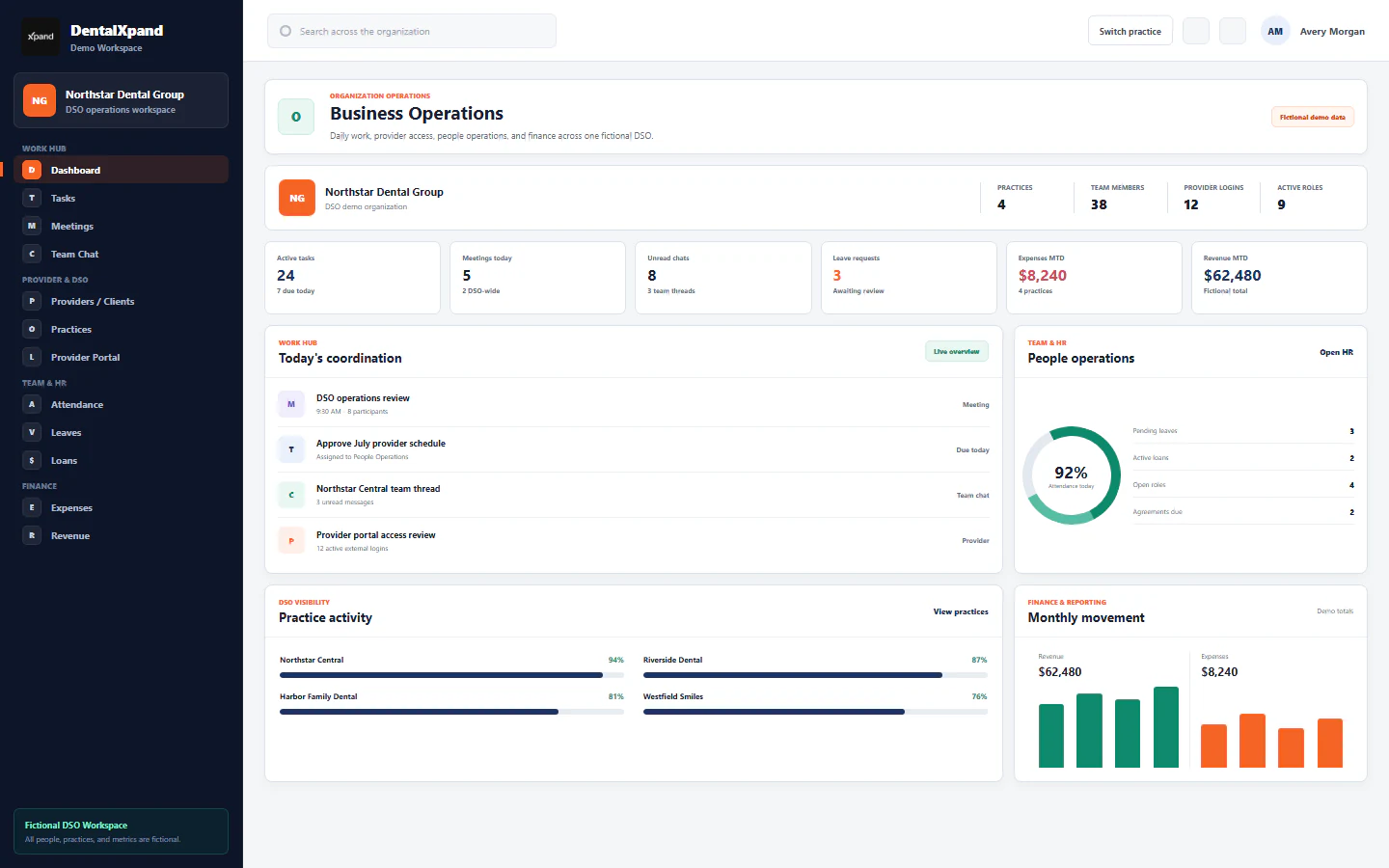
A shared execution layer for employees, operators, and managers without moving every conversation into a separate tool.
02 Provider & DSO
Follow a provider from an open role to the first day and beyond. Keep recruiting decisions, agreement progress and practice assignments connected as your dental group grows.
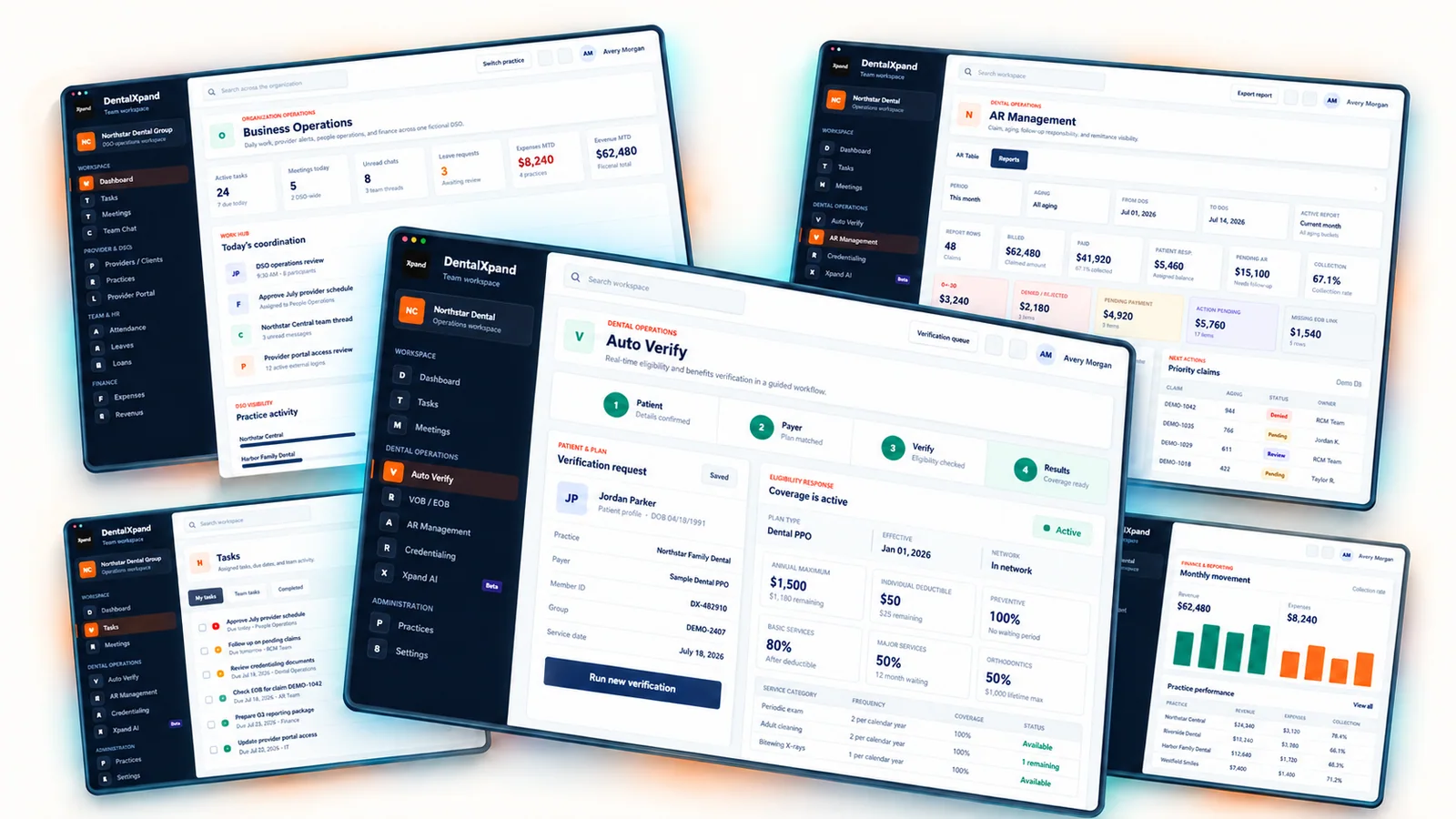
Connected operations
03 Dental RCM
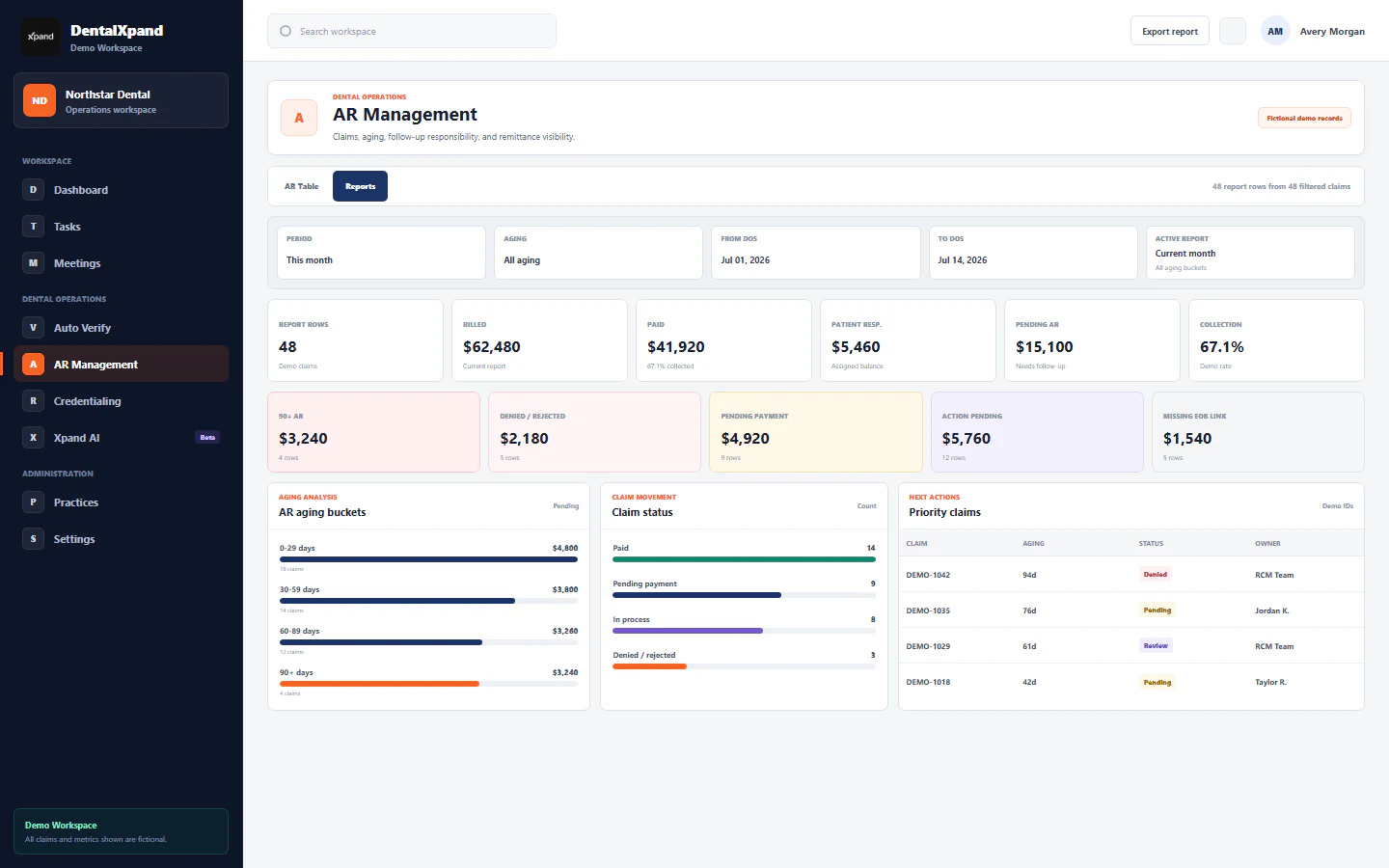
Give each stage of revenue work a clear place: check coverage before the visit, follow claim status afterward and work the outstanding balances with an owner and next action.
04 Credentialing
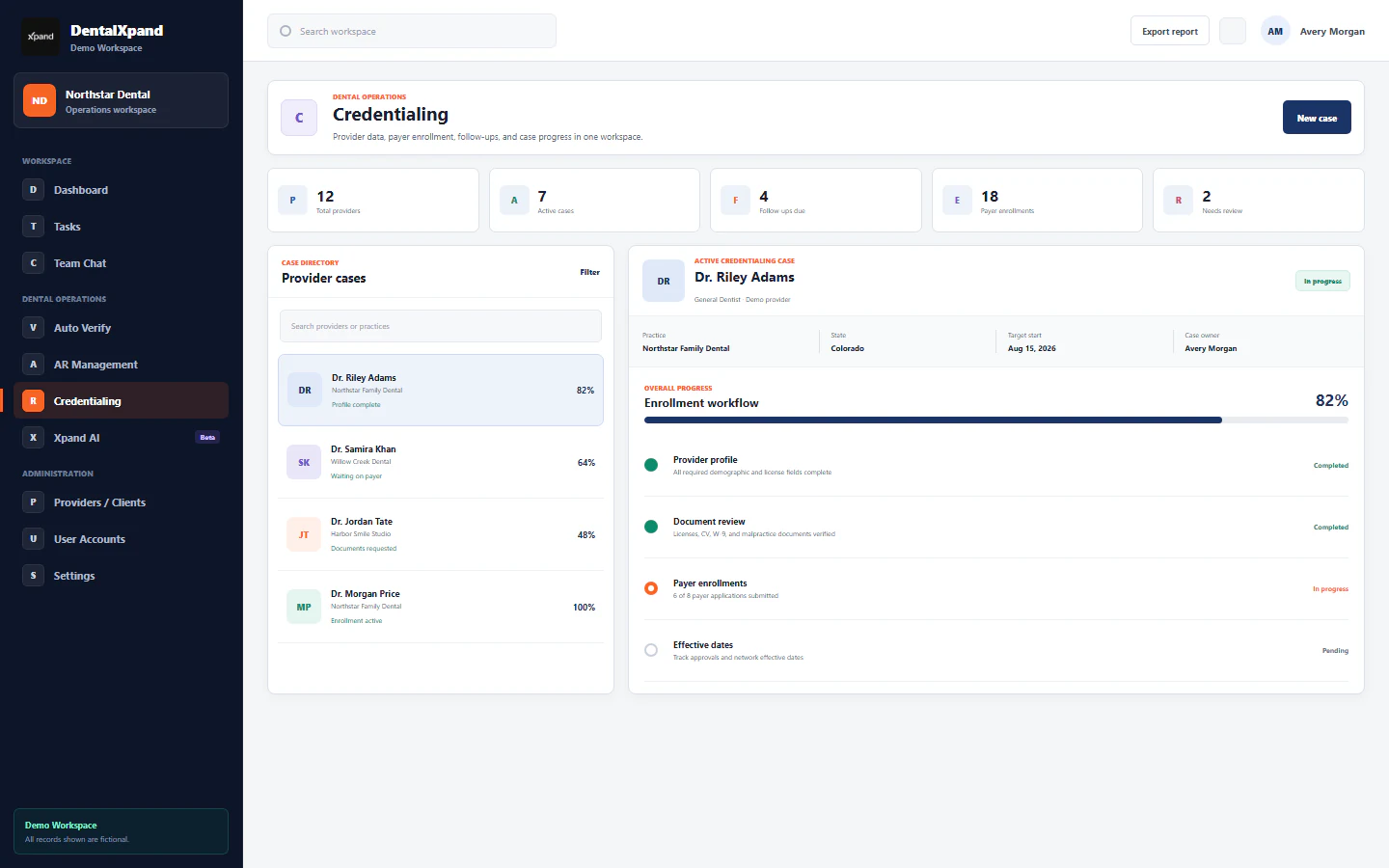
Bring provider documents, payer application progress and follow-up dates into one case history. Give the credentialing team the working detail and the client a focused progress view.
Specialist depth
The shared platform does not flatten the claim, benefit, or payer detail each specialist team needs.
05 Team & HR
Connect teams, time, leave, employee support, hiring, agreements, and notices to the same role-aware workspace.
06 Finance & Reports
Give authorized administrators a dedicated place for expenses, revenue, and management reporting.
07 Marketing & Growth
Keep lead discovery, calling, email activity, and pipeline follow-up inside a dedicated growth workspace.
08 Admin & Security
Manage employees, accounts, roles, practices, organization settings, and platform-level administration through explicit access boundaries.
Control before assistance
Xpand AI can explain workflows and prepare drafts from configured, permitted context. Verification and claim checks run in their dedicated worklists. The website conversation preview does not represent an enabled chat-to-payer integration.
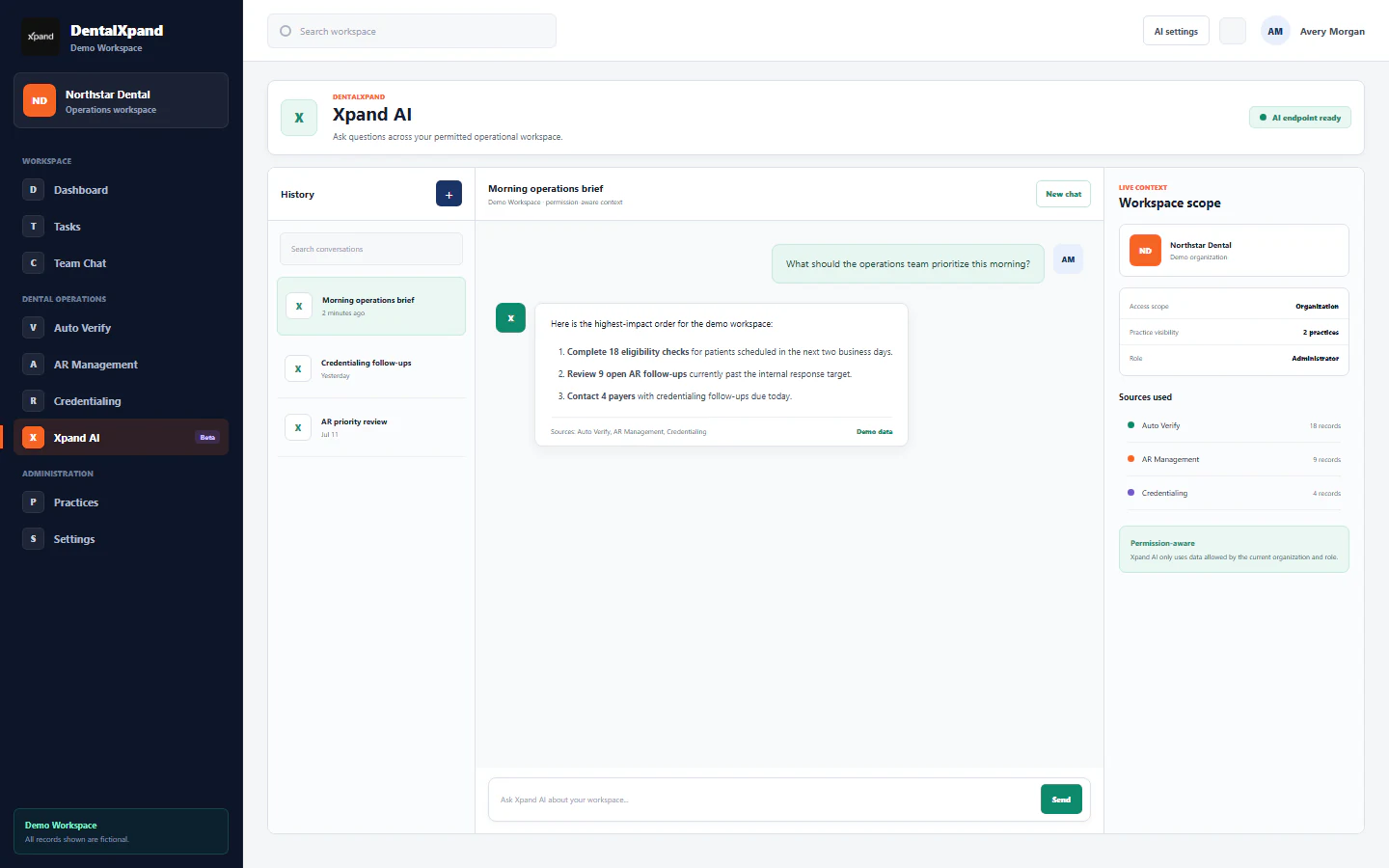
09 AI & Automation
Use configured Xpand AI to help explain workflows and draft next steps from the context available to your role. Inspect the answer and its source categories before putting it to work.
Different users, different workspaces
| Responsibility | Starting work | Useful output | Access boundary |
|---|---|---|---|
| Team member | Assigned tasks, meetings and requests | Updates, completed work and request history | Assigned work and permitted department pages |
| Recruiting / provider lead | Openings, candidates and provider feedback | Hiring handoffs and owned follow-ups | Assigned practices and permitted provider records |
| Revenue team | Patient lists, claim queues and payer responses | Benefits, status reports and next actions | Permitted clients, practices and revenue tools |
| Provider / client | Assigned portal records and requests | Submitted details and visible progress | Focused external access; no general administrative access |
| Organization admin | People, practices, roles and settings | Workspace configuration and permitted reports | The customer organization; separate from DentalXpand platform staff |
A role name alone does not grant every tool shown here. Plan availability, assigned practices and action permissions apply together.
Multi-practice operations
Keep growing without losing the operating picture. Xpand already supports organization and assigned-practice workflows. Our next integration step is to bring supported practice-system data into that shared view.
API vendor selection and connector development are pending. Confirm availability with us before choosing a plan for automated PMS synchronization.
 Open Dental ↗
 Dentrix ↗
 Dentrix Ascend ↗
 Dentrix Enterprise ↗
 Eaglesoft ↗
 Curve Hero ↗
  Central connection
The planned connection will bring supported appointment changes and cancellation statuses into a practice-aware view, helping teams prepare the next patient list.
Where supported, link claim records, charges, adjustments, payments and patient responsibility. Keep an estimated cancelled appointment value separate from a posted ledger adjustment.
The intended view will show source, practice and last successful sync. Refresh timing will depend on the connector and practice system, with delayed records visible for follow-up.
These systems appear in NexHealth’s published compatibility guide and form a research shortlist. Xpand has not selected NexHealth or activated these connectors. Compatibility of one data type does not establish support for all others.
Research checked September 26, 2026 · Compatibility and installation source ↗. Appointment access, financial data and writeback need separate confirmation.
Tell us which systems and versions your practices use. We will confirm available records, location access, setup and refresh expectations before activating a connection.
Discuss your practice systemsCommon questions
Clear answers about product scope, workflows and setup.
DentalXpand connects provider and DSO workflows, credentialing, eligibility and claims follow-up, team tasks, reporting and practice-aware access.
Teams can coordinate provider profiles, openings, candidate stages, onboarding and retention check-ins within practice context.
Dental groups can represent multiple practices and assign practice access by role and responsibility.
Eligibility workflows can use a configured payer service and present returned details for staff review.
Teams can organize claim and AR follow-up with owners, statuses and next actions, depending on the connected workflow.
No. DentalXpand coordinates operational work around existing practice systems rather than replacing clinical charting or scheduling.
Administrators can configure staff roles and practice assignments to match each person’s work.
No. External services require the relevant accounts and configuration; a demo can clarify availability.
Centralized dental PMS/EHR synchronization is planned. The API vendor has not been selected. Our compatibility review includes Open Dental, Dentrix, Dentrix Ascend, Dentrix Enterprise, Eaglesoft, Curve Hero, Denticon, Cloud 9, Dolphin, OrthoTrac and PracticeWorks. Each system, version, data type and refresh interval must be confirmed before activation.
The planned connector is intended to bring supported patient, appointment, cancellation, claim and ledger data into practice-scoped views. Automatic refresh depends on the selected API, system version and permissions. A cancelled appointment does not establish a lost or refunded dollar amount; ledger payments are not bank-settlement confirmation.