
An application with context
Public career applications connect a candidate to the opening your team is reviewing. The next recruiter can see the opportunity instead of starting a separate conversation.
Provider recruiting, with a clear next step
Keep your dental hiring work together: the opening, the candidate, the interview and the next decision. DentalXpand helps practices and DSOs coordinate recruiting across the people doing the work.
Offer → signatures → first day
Starting recordAccepted offer · Associate Dentist · Pinecrest practice
Confirm terms and recipients before sending the agreement.
Track the provider signature; the agreement is still partial if a required countersignature is outstanding.
Receive all required signatures, then keep the signed PDF and completion certificate with the record.
Signature requests and email delivery use the services configured for your workspace. Onboarding readiness is confirmed by your team.
The workflow, explained
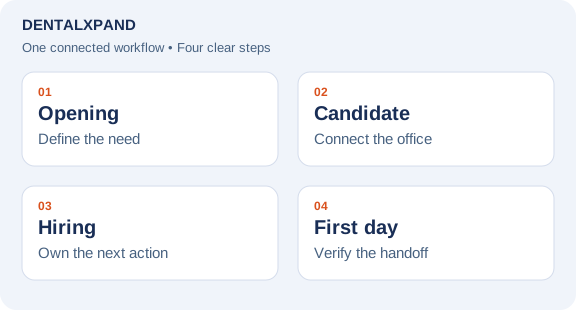
DentalXpand connects provider openings and public applications with candidate profiles, interviews, offers, agreements and onboarding handoffs. Recruiters and authorized leaders can review progress in the context of the provider and practice, rather than reconstructing the hiring journey from separate messages and files.
How it works
Record the practice, role and hiring need so the recruiting team starts with the same context.
Bring applications and provider details into the hiring journey. Use public registry lookup as a reference where appropriate.
Record interviews and feedback, review offer versions, and prepare the next communication before sending.
Keep agreement progress and the onboarding handoff connected to the provider record.
Made for the real handoffs
Public career applications connect a candidate to the opening your team is reviewing. The next recruiter can see the opportunity instead of starting a separate conversation.
Review candidate details and use NPPES name or NPI lookup to reference a public registry record. A registry match supports data review; it does not verify identity or replace credentialing.
Keep interview details and saved offer versions with the opportunity. Authorized users review invitations, reminders and offer messages before sending through configured email services.
Prepare and review agreement terms, confirm the linked provider identity, and request signatures when the signature service is configured. Sending an offer and completing a signed agreement remain distinct steps.
Your team. Your process.
Recruiters need the next action. Clinical leaders need interview context. Operations needs a clear handoff before the provider starts. DentalXpand brings those activities into a connected workspace with role and practice access. In your demo, follow one opening all the way through and confirm who can view, edit and send each step.
Take the next step
These blank planning worksheets are for your team’s process review. They are not application import templates; keep patient and confidential personnel information in your authorized systems.
Questions before you choose
This page describes recruiting software. Your team manages candidates and hiring decisions in DentalXpand. Any separate recruiting service must be agreed independently; the software does not promise to supply candidates.
DentalXpand keeps provider and practice context with the recruiting work. Authorized users can work across their assigned scope. Confirm your organization's practice structure and permissions during setup.
The recruiting workflow includes public career applications for configured openings. Submissions enter the recruiting review process; your team reviews the candidate and decides the next step.
No. NPPES is a public registry reference. Review the returned record, confirm the person and practice details, and complete any credentialing or signing-identity checks your organization requires.
Authorized users can prepare and review invitations, reminders and saved-offer communications. Sending depends on your configured email service and the required candidate and interview details.
No. Agreement preparation, review and signature requests are separate actions. The provider identity must be linked correctly and the signature service must be configured.
Bring an example role, your hiring stages and the responsibilities of recruiting, clinical and operations staff. Use sample candidate details so the discussion can focus on handoffs and access.
The Pricing page lists current monthly packages and allowances. Ask for a walkthrough of recruiting access, practice scope and any connected services for your proposed rollout.
See monthly pricing and allowances or discuss your setup with DentalXpand.
Start with your process
Tell us about your practices, your team and the next handoff you want to improve.